

Manage routing and territory planning from your AI agent

The Gradient Works MCP connects your routing logic and territory data to any AI agent. Debug assignments, build and manage routing flows, compare territory scenarios, and query rep metrics through conversation.
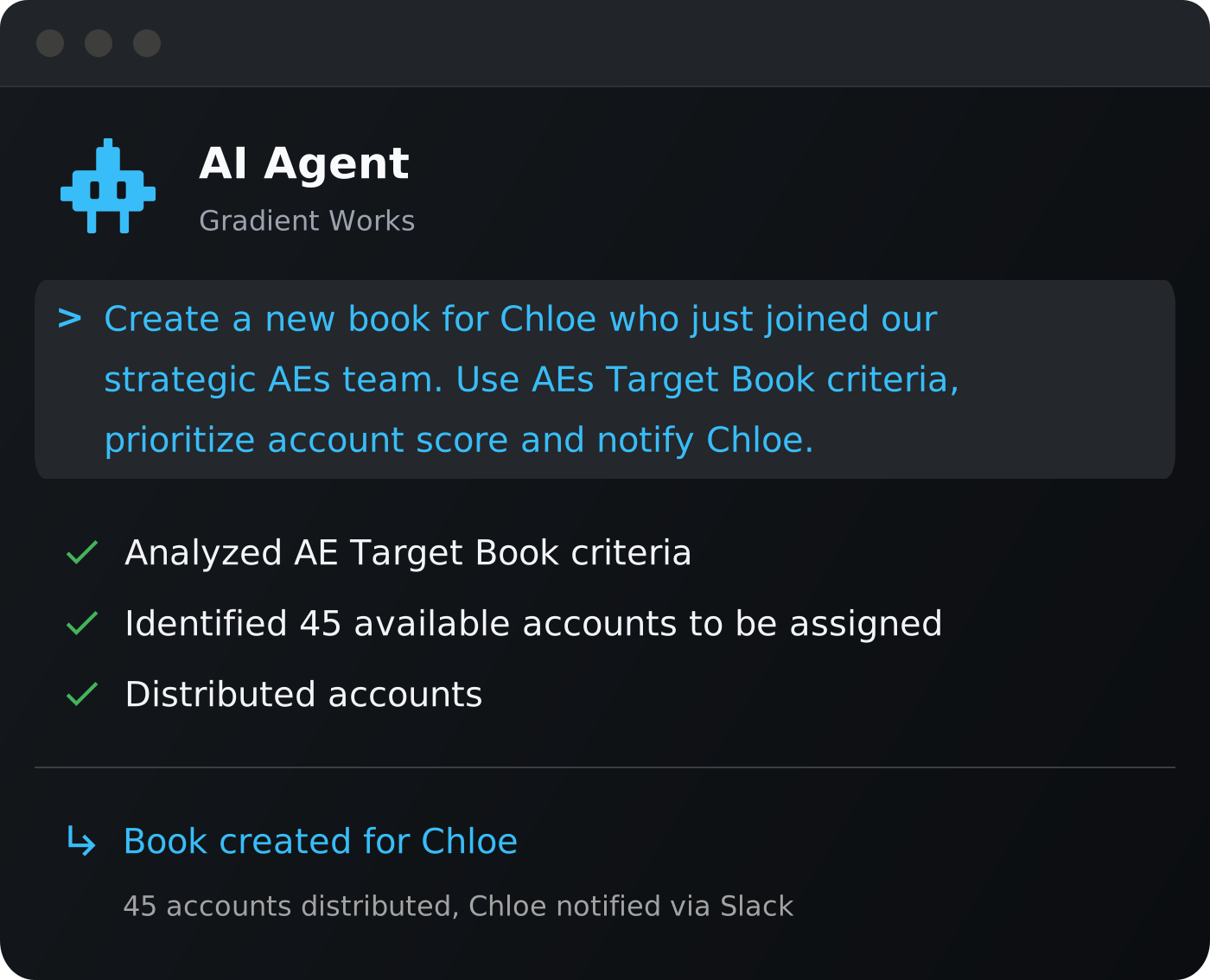
Agent Terminal

Everything you run in Gradient Works, accessible through your AI agent

The Gradient Works MCP gives your agent access to over 50 skills and tools. Available today for Claude Desktop, Claude Code, ChatGPT, OpenAI Codex and Cursor.

  • Routing debugging: Ask why a lead routed where it did and get a plain-language explanation in seconds

  • Territory planning: Pull Carve scenarios, apply stakeholder feedback as overrides, and deploy from your agent

  • Flow management: Build, edit and activate Salesforce routing flows by describing what you want in plain language

  • Rep metrics: Query on-book metrics, coverage stats, and hierarchy roll-ups through conversation

  • Routing setup: Build target books, configure routing queues, and audit routing logic through plain language
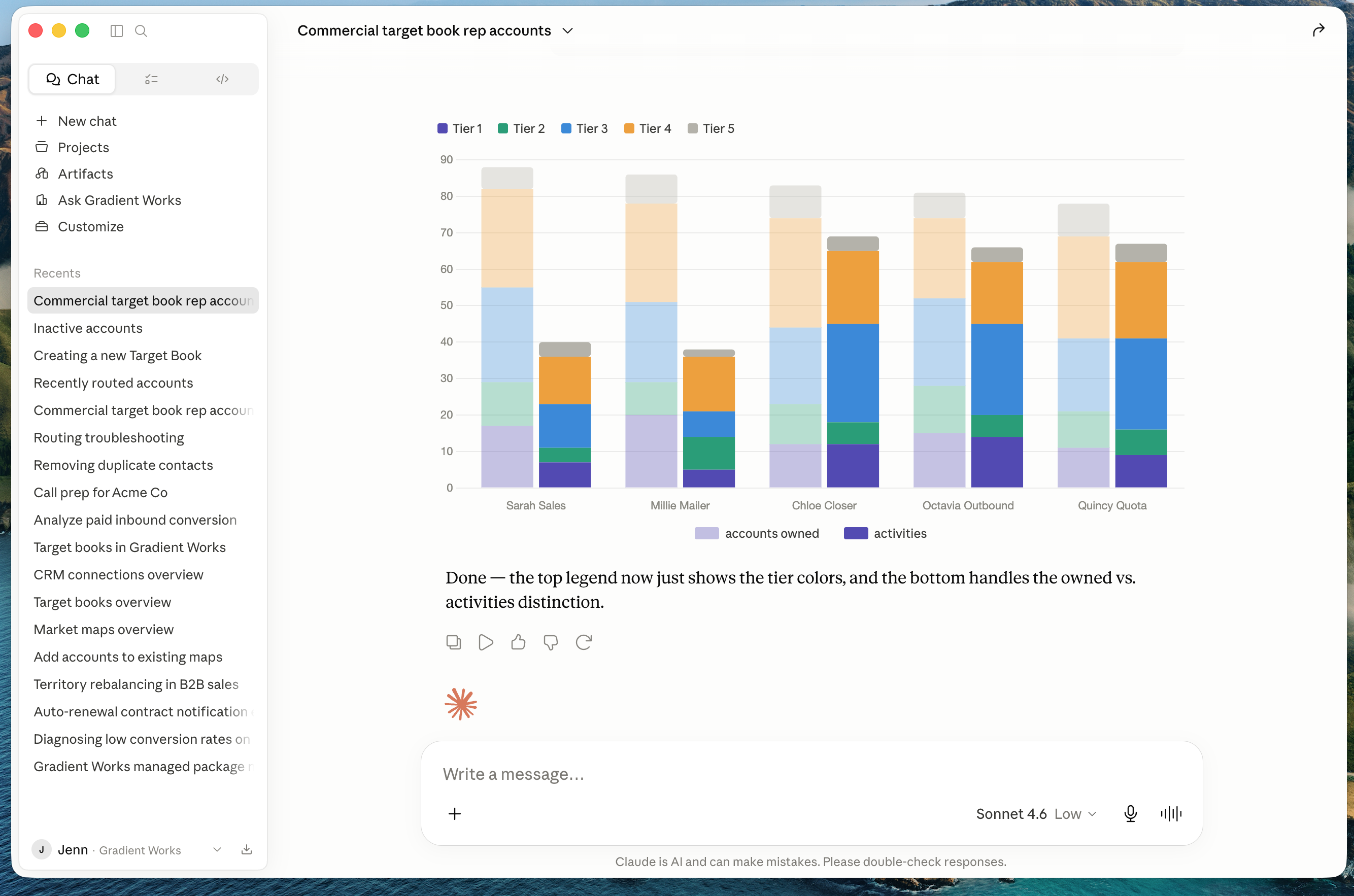
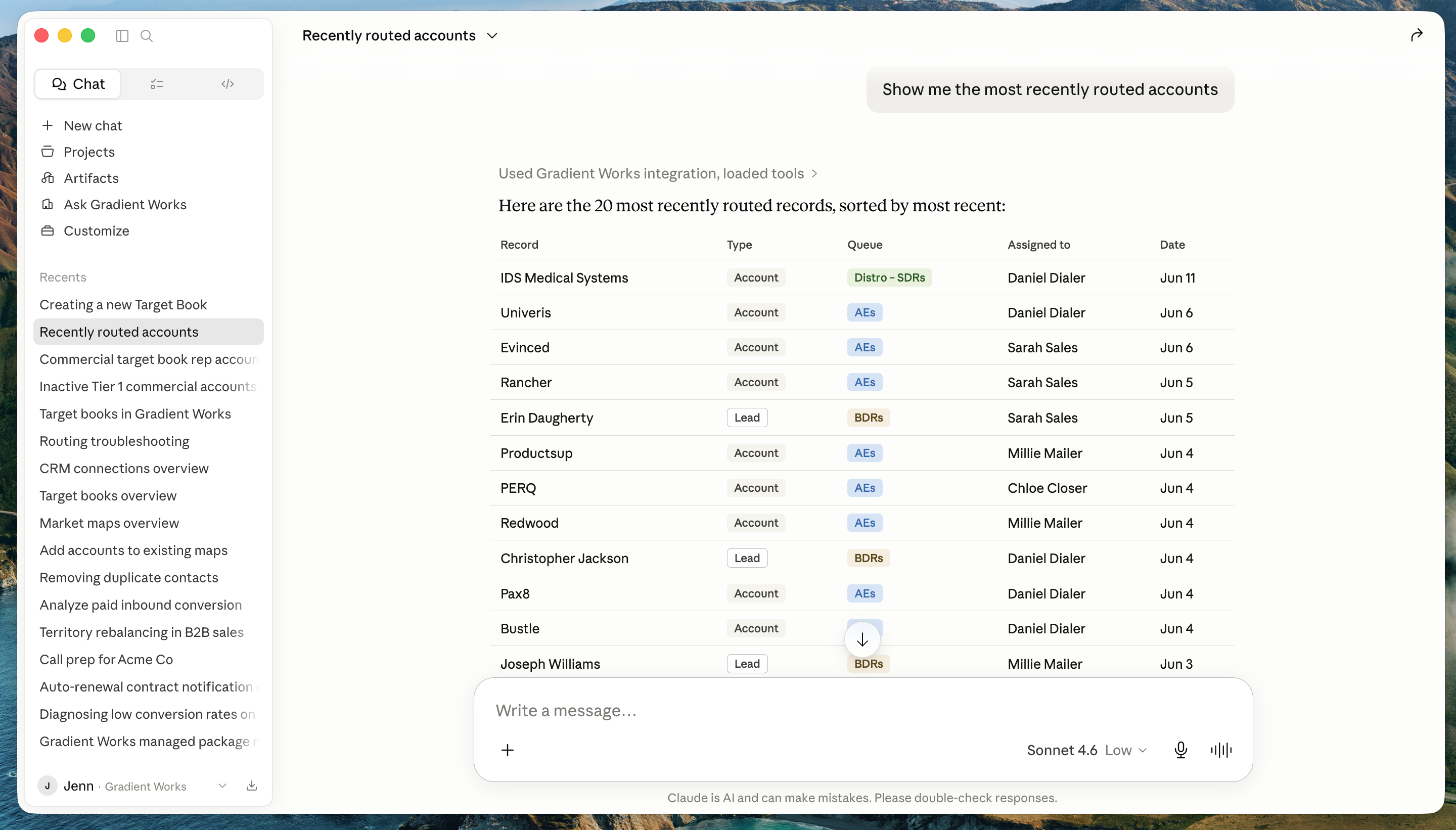
Screenshot 2026-06-12 at 11.03.33 AM

Debugging is where the MCP pays off fastest

When an account routes to the wrong rep, it can take forever to track down why something was routed the way it was.

With the MCP, you simply ask: "Why did this lead go to rep A instead of rep B?" Your agent pulls the routing logic, assignment history and target book configuration to give you an answer in seconds.

Flow issues work the same way. Your agent pulls the flow configuration, log entries, and assignment history together in one conversation and can propose and apply a fix on the spot.

  1. Rep flags a misrouted lead in Slack or email

  2. Ask Claude, ChatGPT or Cursor why this lead went to this rep

  3. The Gradient Works MCP retrieves the relevant data

  4. Your agent explains the routing decision in plain language and can suggest a fix if needed

MCP Routed Accounts

Built for the whole revenue operations team

  • RevOps: Debug routing assignments and audit your setup through your agent, not manual rule tracing

  • Sales Managers: Get instant answers on territory health, rep coverage, and pipeline risk

  • Sales Ops: Compare Carve scenarios and turn stakeholder feedback into territory overrides in one session

Where the MCP fits in your workflow

One agent and the full Gradient Works platform

The MCP connects to the entire Gradient Works platform: Routing, Carve, Market Map, Bookbuilder, and Analytics. Your agent can debug, plan, and query across the whole platform in a single session, no app switching.

For flows, the MCP ships with the GW Automations skill: a pre-built workflow that teaches your agent how our 40+ automation actions work. 
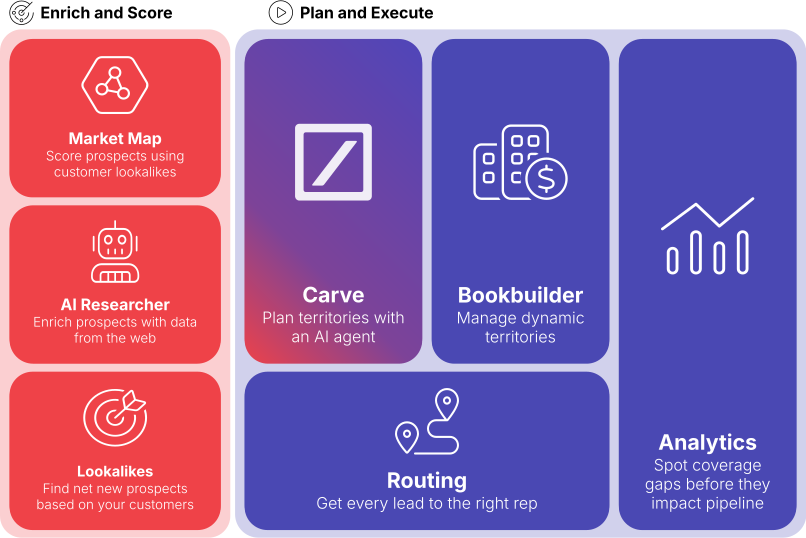
platform-marchitecture-3x2

MCP FAQs

What is the Gradient Works MCP?

The Gradient Works MCP (Model Context Protocol) is a server that connects your Gradient Works account to any compatible AI agent. It gives AI agents read and write access to your routing logic, territory data, rep metrics, and Bookbuilder configuration. So far, there are over 50 tools and skills.

Which AI agents work with the Gradient Works MCP?

Any client that supports the MCP standard. Today that includes Claude Desktop, Claude Code, ChatGPT, OpenAI Codex, and Cursor. As more AI tools adopt MCP, the Gradient Works MCP will work with them automatically.

Who can use the Gradient Works MCP? 

Any Gradient Works customers (free and paid) can access the MCP. If you want to sign up for our free plan to try it out, start here

What can I do with the MCP?

Debug routing assignments, build and manage Salesforce routing flows, compare and deploy territory scenarios, pull rep metrics and coverage stats, and query Bookbuilder configuration. For flows, the GW Automations skill teaches your agent how to configure our matching, assignment, and routing actions. All through conversation.

Do I need engineering help to set it up?

No. Setup takes just a few minutes: add the MCP server URL to your AI agent's configuration and authenticate with your Gradient Works account. No code required. More detail on setup here.

Run RevOps from your AI agent

Connect Gradient Works to Claude, ChatGPT, or Cursor and start debugging, planning, and querying in minutes.