

Route every account and handoff in Salesforce
Routing automates lead-to-account matching, lead assignment, and account handoffs entirely within Salesforce.
Replace manual routing decisions with rules-based logic that accounts for territory ownership, rep capacity, and buying signals.
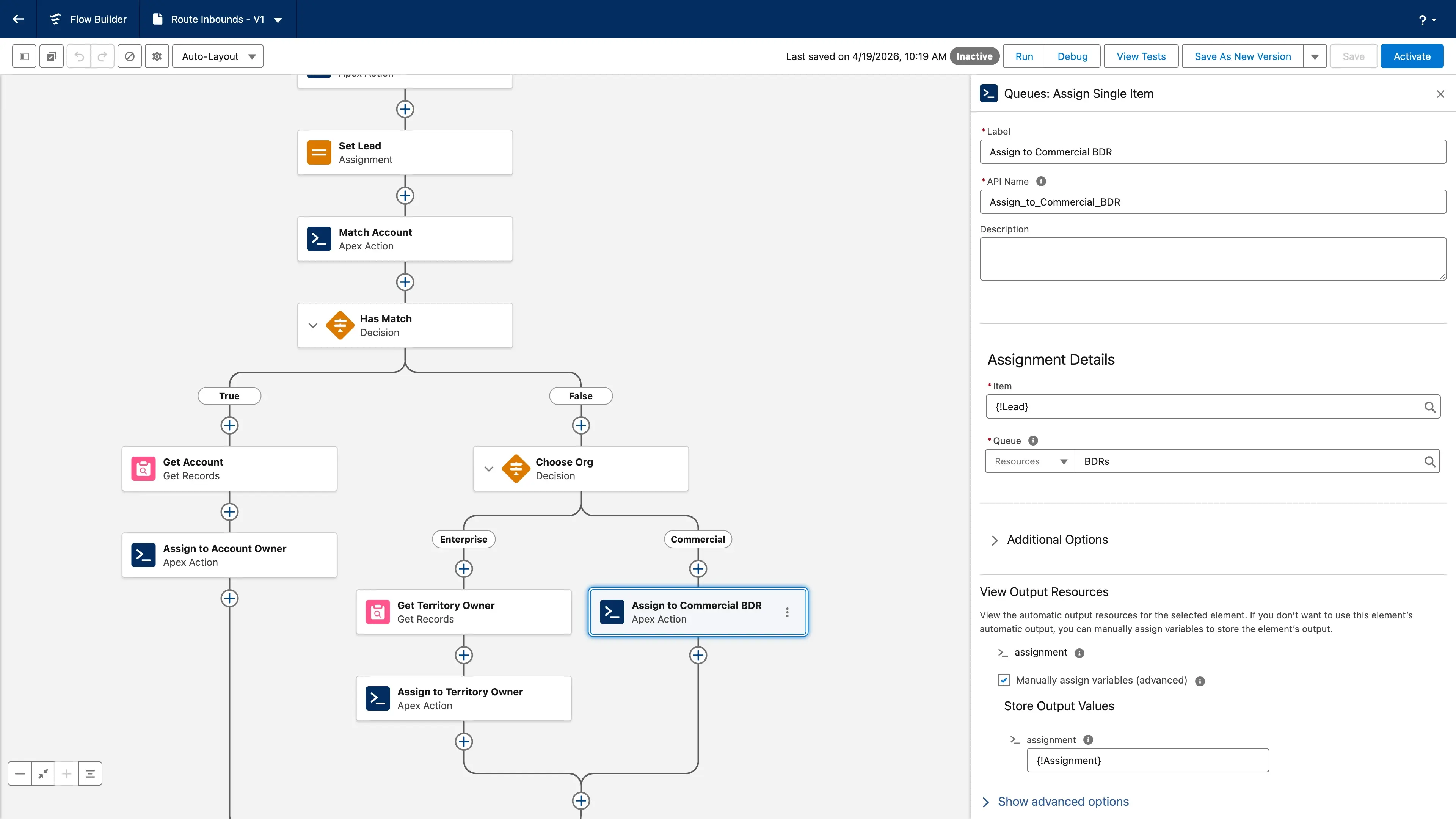
Route every signal, inside Salesforce
Gradient Works Routing runs on native Salesforce Flow with custom actions. You get no-code rules for matching, routing, and assignment without bolting on another tool.
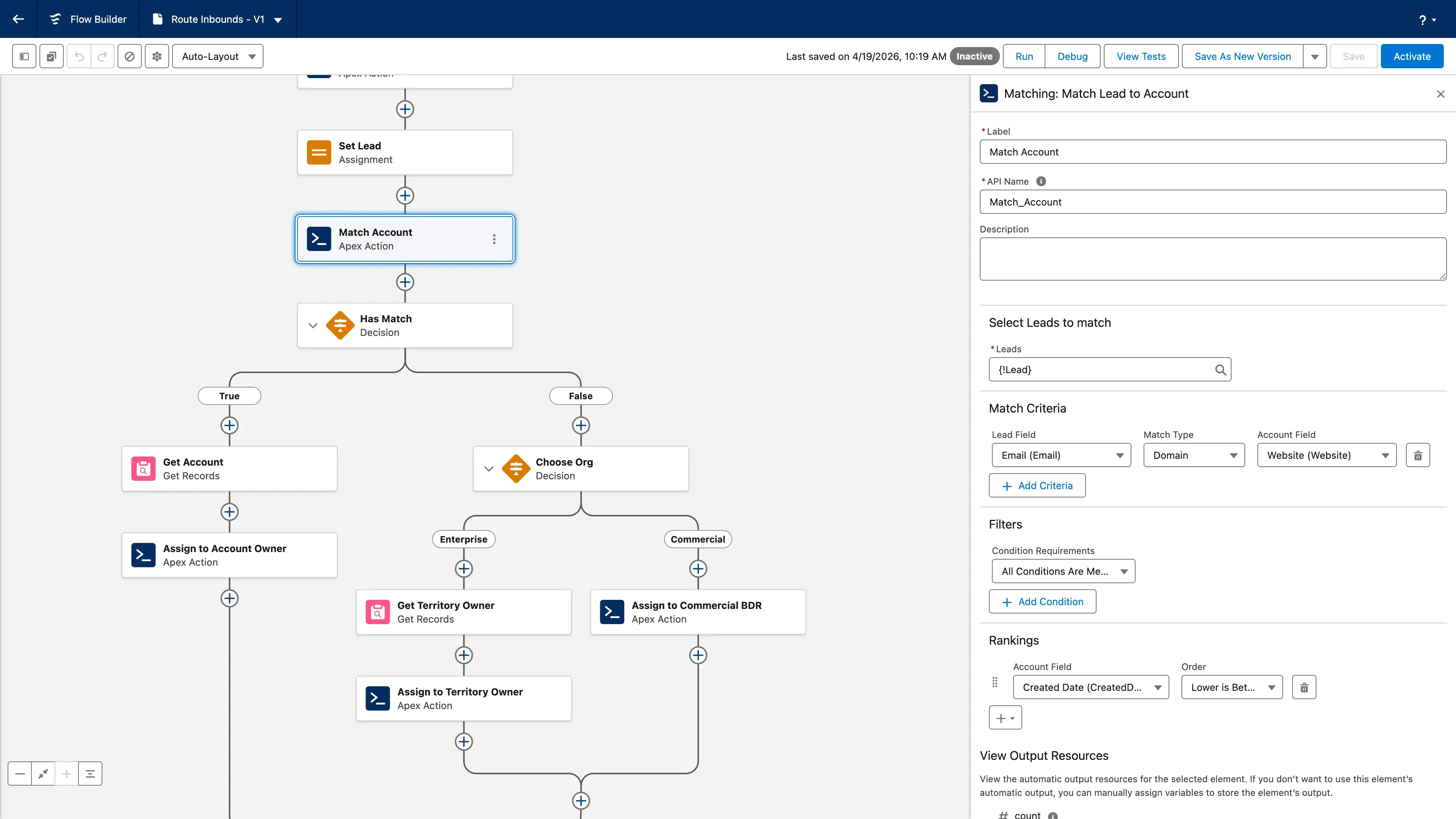
Matching
Match leads to accounts before anything else happens
Domain extraction, fuzzy name matching, and ranked candidates catch the variations standard Salesforce matching misses — so leads don't get orphaned or double-assigned because of a company name mismatch.
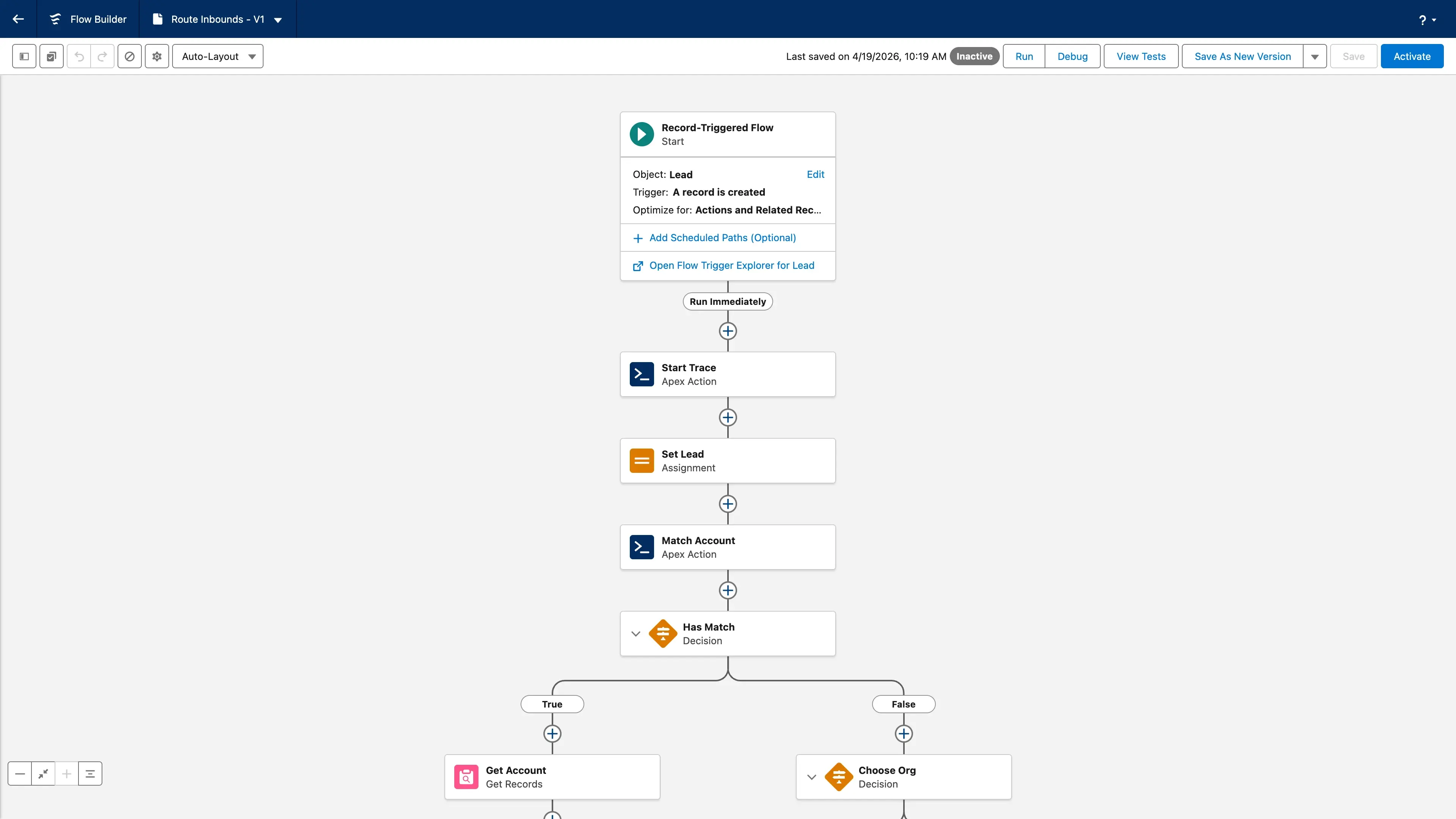
Routing
Route on any signal your CRM can see
Build no-code rules that react to intent data, firmographic changes, buying stage transitions, or internal handoffs. Everything lives in Flow.
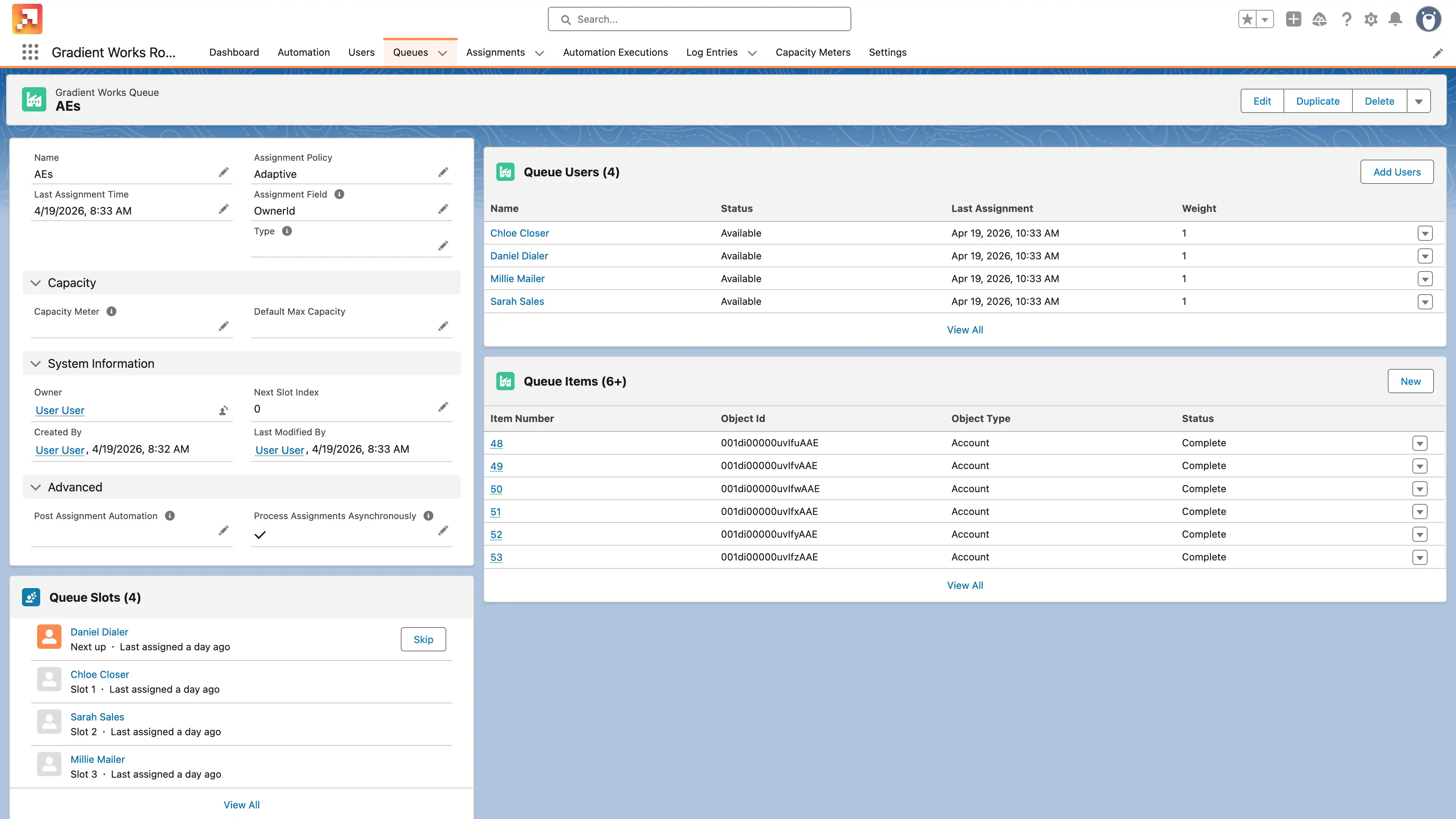
Assignment
Assign with weighting, capacity, and availability
Round-robin that respects rep capacity meters and availability status. Some reps take more, others less, and nobody gets an assignment they can't work.
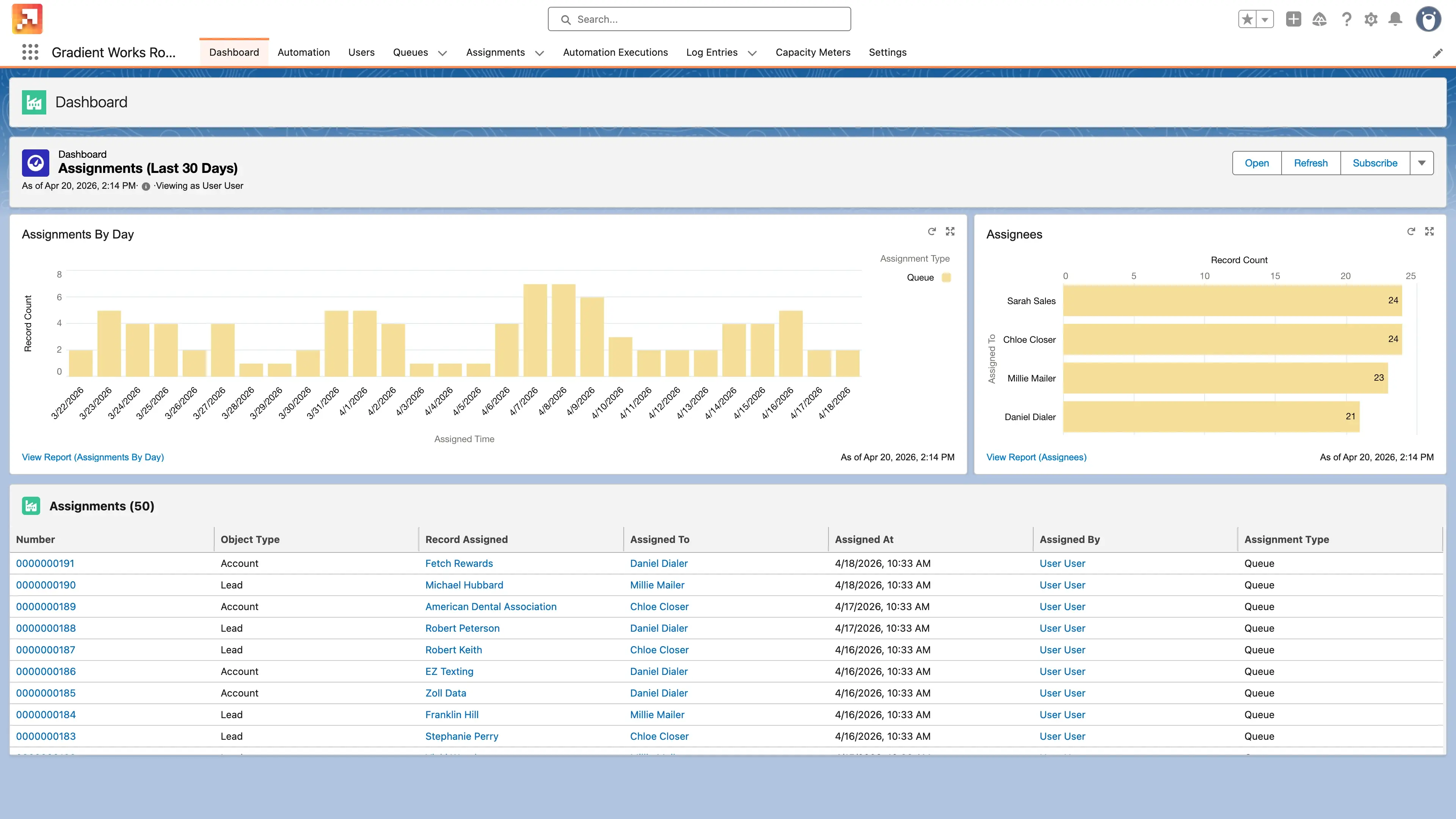
Audit
See every assignment with a full audit trail
Assignment Histories track every ownership change — queue-based or direct — so you can answer "who got what lead and why" without digging.
Built for the whole revenue team
Match leads to accounts, route on any signal, and assign to the right rep, all on native Salesforce Flow. No external system to maintain.
-
RevOps: Build and maintain matching, queuing, capacity, and audit in one place, no external routing tool needed.
-
Sales leaders: Leads hit the right rep in seconds. Handoffs happen automatically. Nobody waits on ops to fix a misroute.
-
Reps: Inbounds arrive pre-matched to the right account. You get the record, the context, and the owner already set.
"Our LeanData routing breaks constantly. I'm sure you've seen LeanData spaghetti models before — ours is a couple of New York Italian shops just dumped onto the street. With Gradient Works, we can do it a little more simply, something that's easier to control, and that's awesome."
VP Revenue Insights
"We've automated our MQL distribution process with Gradient Works, which has been instrumental to scaling our sales organization for the next stage of our company's growth."
Brandon Smith, Revenue Operations Manager, QuotaPath
"My team was doing a lot of manual work because they didn't trust the routing. They were constantly double-checking, searching Salesforce to make sure there weren't duplicates. Not anymore."
Head of Revenue Operations
Signals flow in. The right assignment flows out.
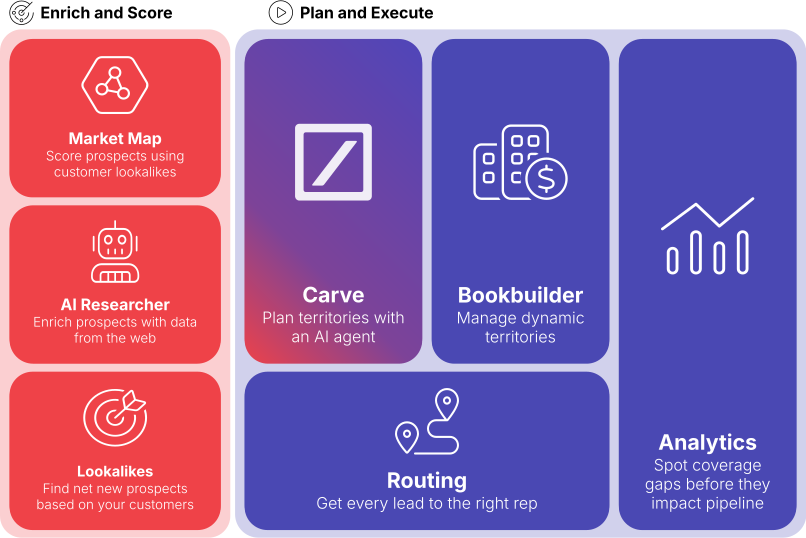
Routing takes buying signals, firmographic changes, and Bookbuilder capacity and turns them into assignments reps can actually work.
When Routing hands off an account, Bookbuilder picks it up from there. Books stay focused, and the right rep gets the right lead every time.
Routing is also accessible through your AI agent. The Gradient Works MCP lets you debug assignments, audit routing logic, and configure queues through conversation in Claude, ChatGPT, or Cursor. Learn about the MCP →
Routing FAQs
What is Routing?
Gradient Works Routing automates lead-to-account matching, inbound lead routing, and assignment workflows entirely within Salesforce, no separate routing software required. It decides who gets what based on territory ownership, rep capacity, availability, and custom rules.
What does Routing handle beyond inbound leads?
Routing handles any Salesforce object: leads, accounts, contacts, opportunities, and cases. And any Salesforce assignment decision: inbound MQLs, BDR-to-AE handoffs when a prospect converts to an opportunity, CSM assignments at close, opportunity escalations, and post-sale lifecycle transitions. Any record that needs to be assigned to a rep can be routed through the same rules-based logic.
How does Gradient Works Routing compare to LeanData?
LeanData focuses on getting leads to the right rep fast. Gradient Works handles the whole journey: scoring accounts before the lead arrives, routing inbound leads to the rep who already owns the account, and tracking whether those accounts get worked. If routing speed is your only problem, LeanData may be enough. If you're also dealing with territory imbalances, rep coverage gaps, or book management, that's where Gradient Works goes further.
How does Gradient Works Routing handle rep availability and capacity?
Routing uses adaptive queues that respect three layers: availability status (mark reps unavailable for PTO, with an auto-return date), working hours (per-queue schedules that account for timezones), and capacity meters (limits on how many open records a rep carries at once). If no eligible rep is available, assignments queue automatically until someone comes back online.
How does Routing handle lead-to-account matching?
Before any routing decision is made, inbound leads are matched to existing accounts. Gradient Works' matching handles name variations, domain matching, and subsidiary relationships that standard Salesforce matching misses. Leads don't get orphaned or double-assigned because of a company name mismatch.
How is Gradient Works Routing different from building routing rules in Salesforce directly?
Salesforce's native assignment rules are rigid and hard to maintain. Gradient Works Routing provides a no-code interface for building complex routing logic, including capacity constraints, round-robin with weighted distribution, and multi-signal conditions. It's also aware of book ownership and territory structure set up in Carve and Bookbuilder — so routing and assignment stay in sync.
How do I debug a misrouted lead?
Ask your AI agent. The Gradient Works MCP connects Claude, ChatGPT, and Cursor to your routing logic and assignment history. Ask why a lead went to the wrong rep and get a plain-language answer in seconds. No manual rule tracing. Learn about the MCP →
Put Routing to work for your team
See how flexible Salesforce-native routing can be. Start free or book a walkthrough.


